Crowd Vision

Nathan Campbell
Software Developer
Crowd Vision is a webapp built by me and a friend, Aria, that allows for anyone to gain demographic data based purely on raw video feed, designed to be used by anyone from a small business to a full sized stadiums. The system I designed uses a sleek front-end application in SvelteKit with backend integrations using Kubernetes, Python, and ConvexDB to accomplish affordable face recognition across full venues. This article will be a deep dive into how I designed the full system and my friend, and I implemented it.
Outline
- Frontend Implementation
- System Architecture
- Conclusion
Frontend Implementation
To begin with, the less technical side to ease into this complicated project its best to go over something tangible for what the system really looks like and can accomplish. I will go over each of the basic pages that have currently been implemented. They were all designed roughly beforehand using Figma based on a template and then revised after the fact to fit our use case.
Overview Page
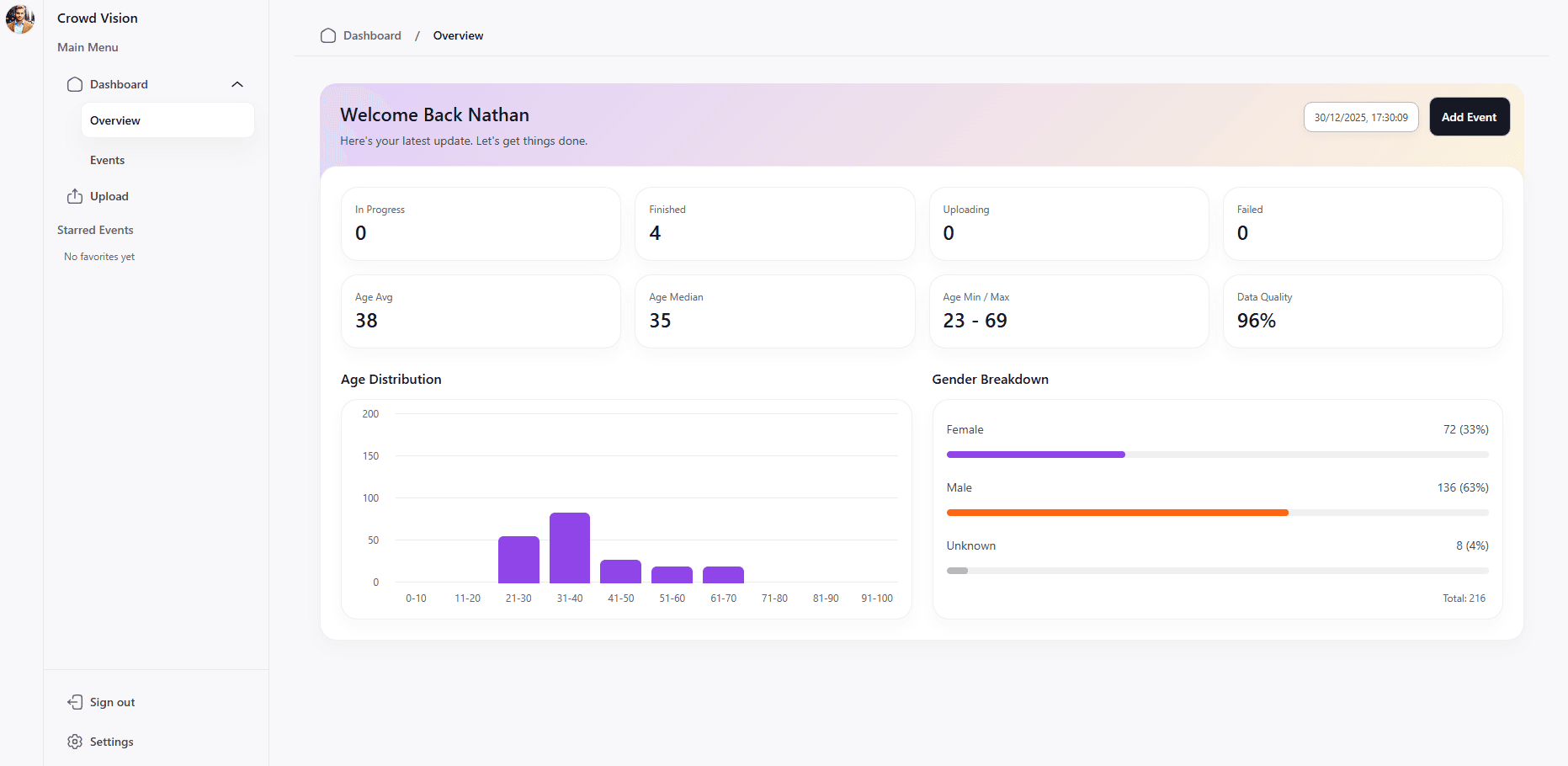
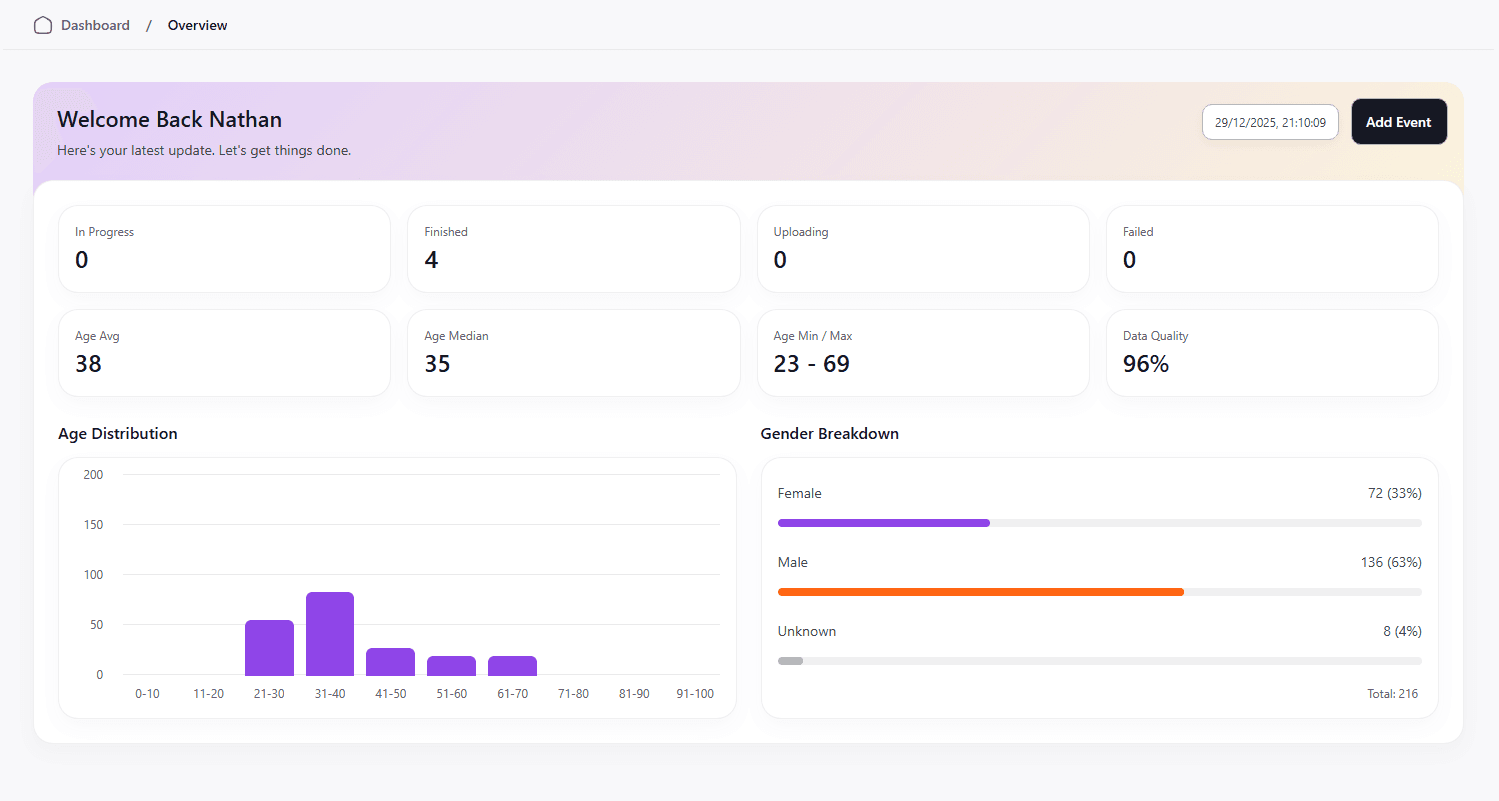
The overview page is where a business could see full overviews of their demographic data, all of their events compiled into one place. Currently, the demographic data is fairly limited, as this is currently an MVP that exists to showcase the work. The page is synced to our database, where anytime an event has finished being processed, the totals from video processing get added to the total stored in the user. Currently, the system tracks age and gender distribution as well as data quality, which consists of detected faces that the model was able to extract meaningful data from.
Events Page
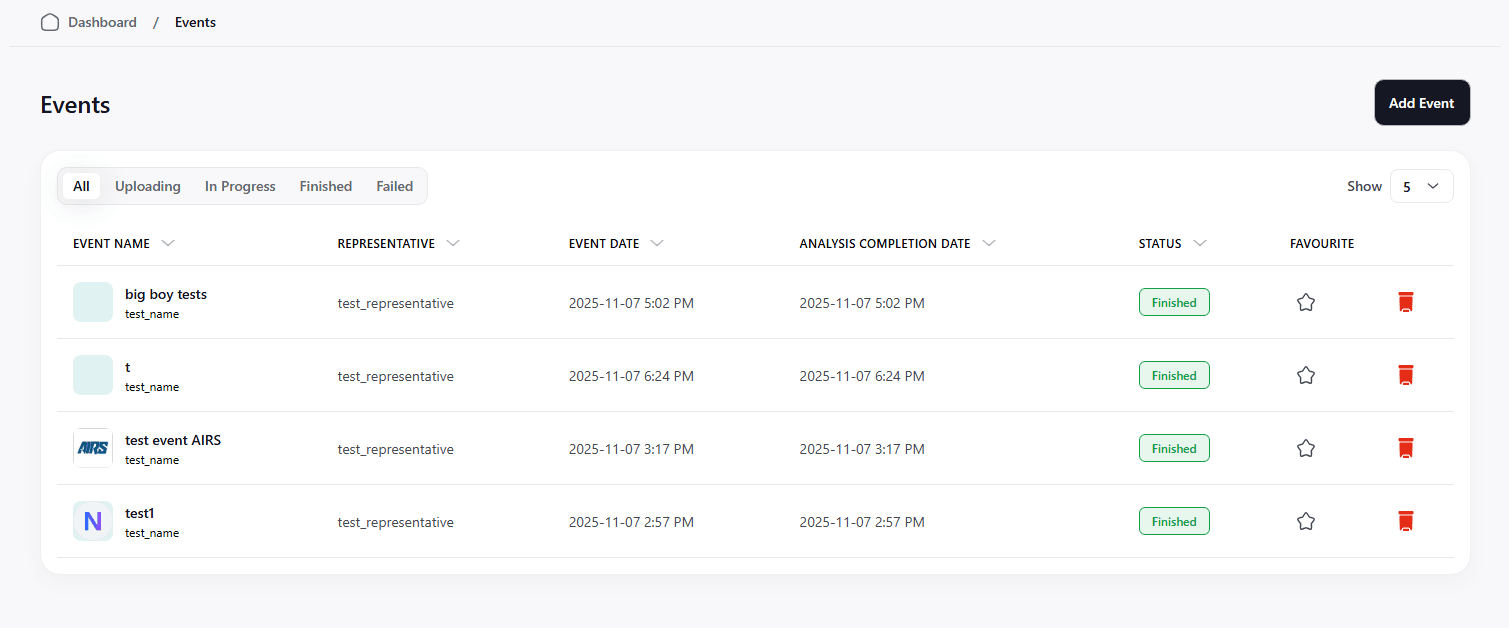
The events page is where a user can view all of their events together in one place to select one to gain more information.
Event Page
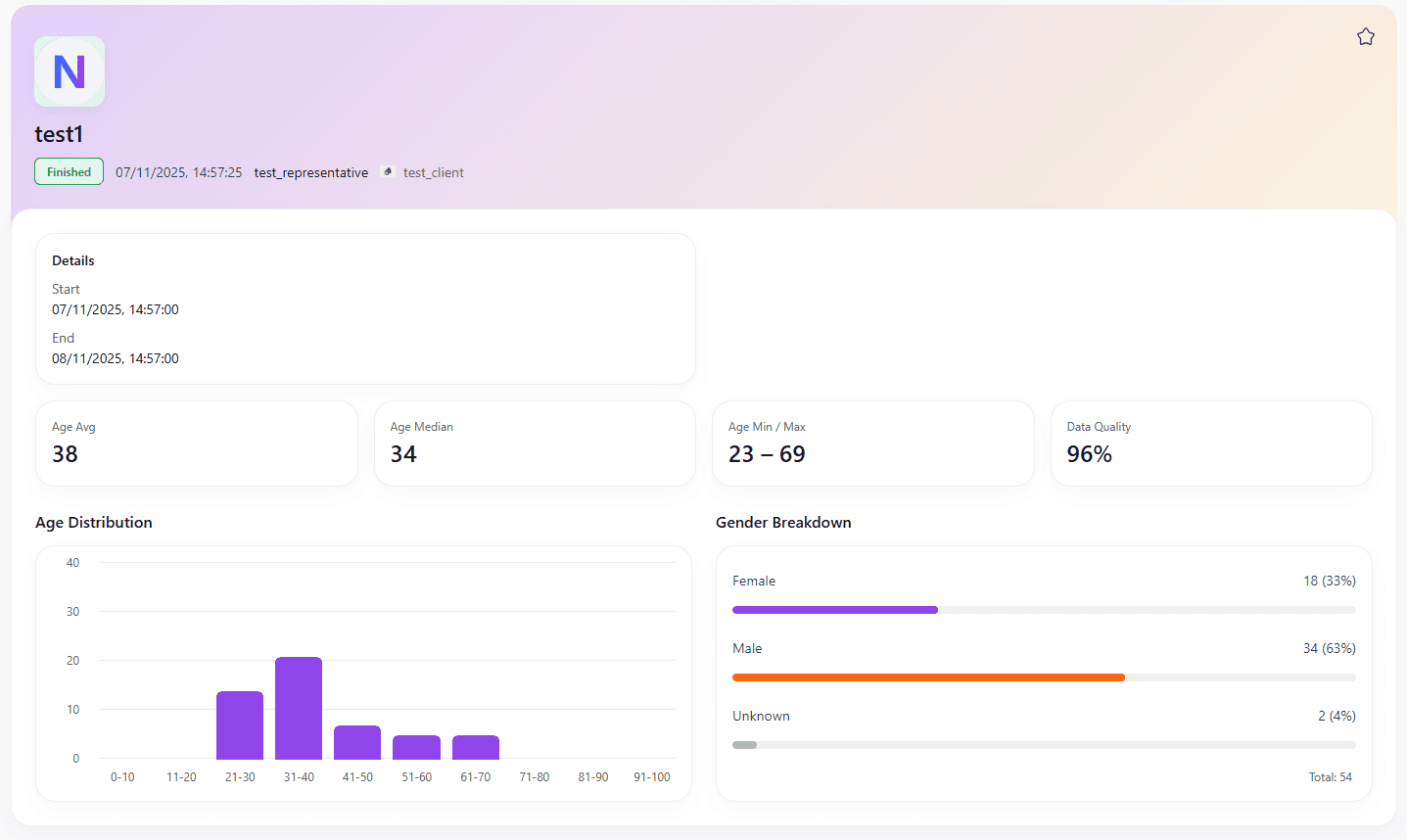
This page shows a breakdown of information regarding a specific event. This would contain everything regarding a specific event that you have put through the system. This can also show a status for things that are currently being uploaded or processed by the system; implementing a loading bar for this would also be very straightforward.
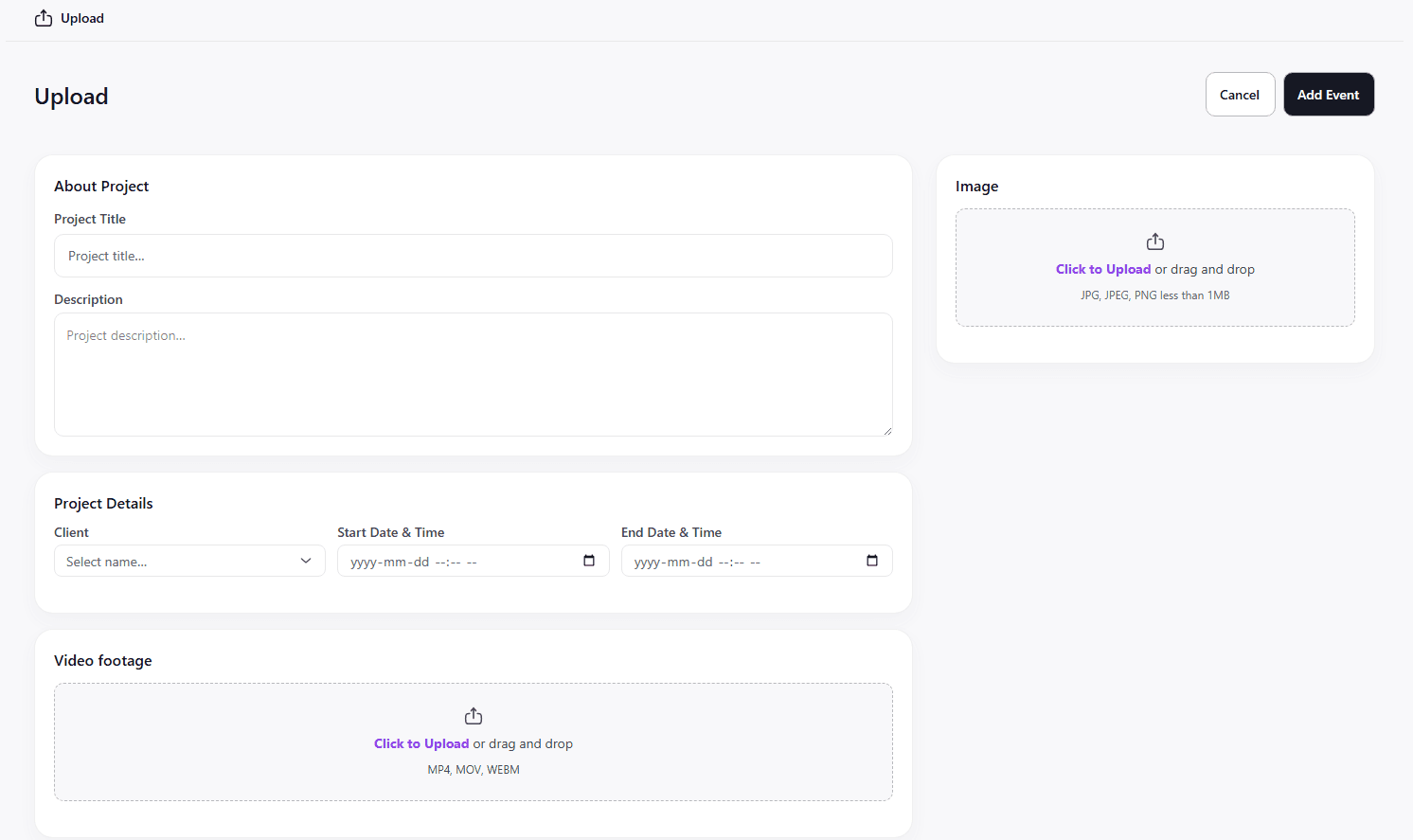
Upload New Event Footage
Here is where a stadium would be able to place the footage for upload. This would also include pricing and other general information that the user would want to add so that it is easier for them to keep track of.
System Architecture
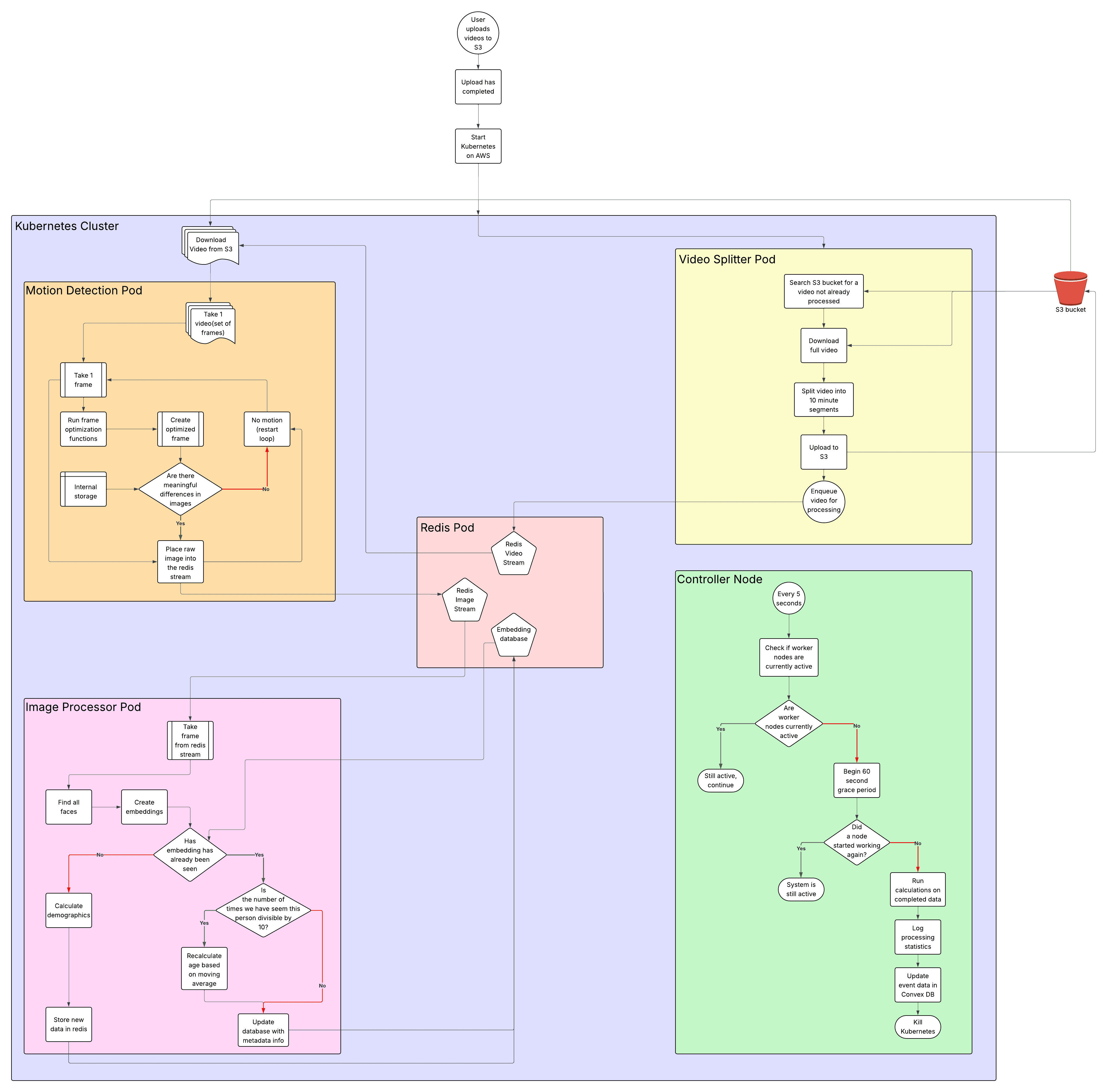
I designed a basic version of the system architecture on LucidChart before we began development so that we were on the same page about how each part of Kubernetes would communicate with one another. It underwent several iterations before development was complete, as we did more research into the best way to complete each section. I will delve further into each section and how it expands from the simple diagram I have made.
Ingestion/Startup
Once a user has confirmed that they want to process a new event, the event will be created, and an entry into the convex DB will be created that makes a folder in S3 from the required metadata(userid/eventid) and uploads the raw videos to that folder. Once that upload has completed, a convex function will trigger AWS to start up a new Kubernetes cluster. This is an area that leaves room for expansion after growth, where currently there is a lot of time spent on just the startup of the control plane. With enough users, there could be one central cluster that spins up individual jobs for each event to make things faster, but currently, waiting 10-15 minutes for startup is acceptable.
Video Splitter Pod
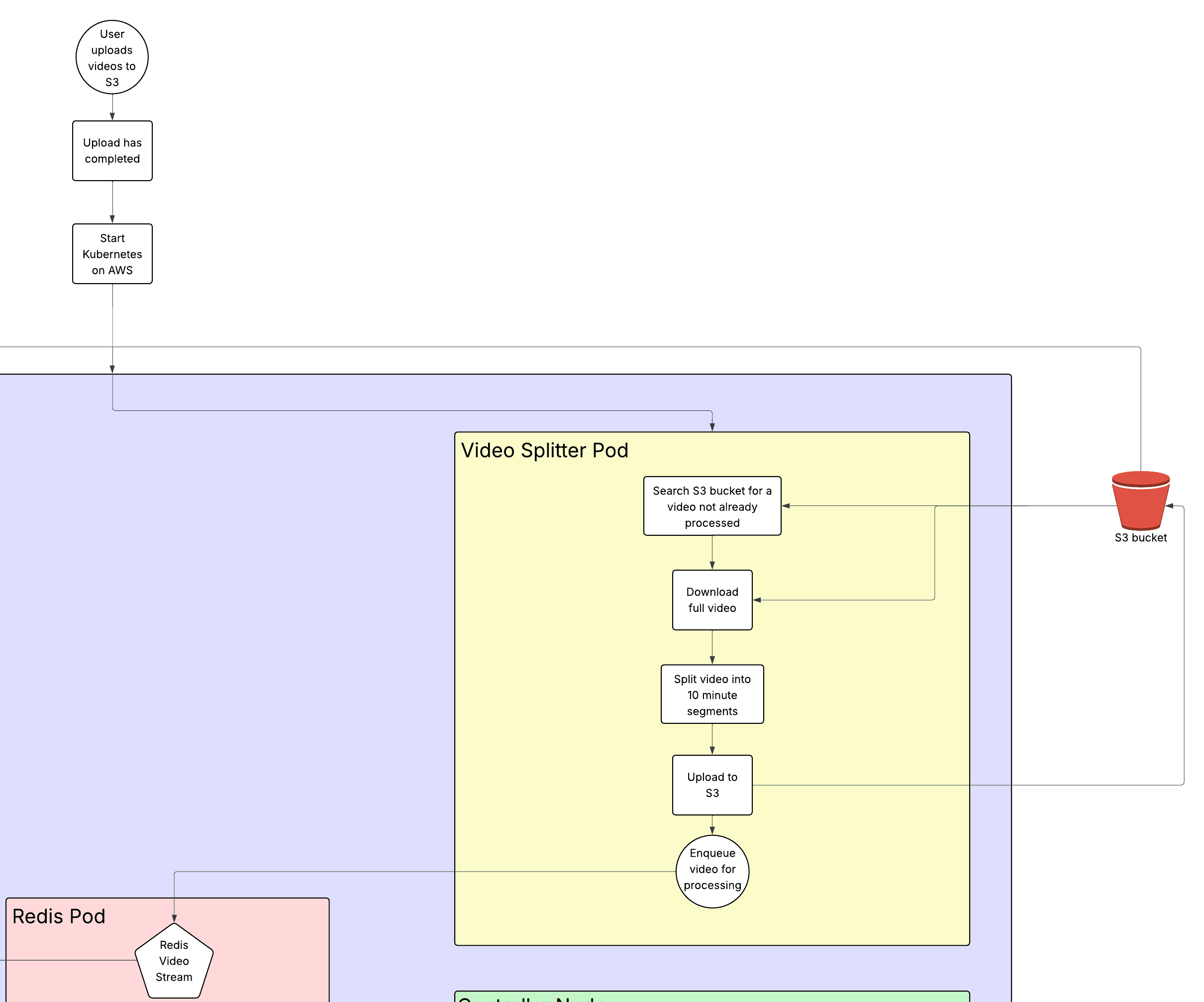
This pod exists to prevent issues that can stem from pod failures. If a motion detector failed while working on a 12-hour video, it would be more complicated to redownload that massive video file and try and continue where it left off. This solution divides videos into 10-minute sections that are reuploaded to S3 with the location data passed to a Redis stream so that it can be redownloaded later. Additionally, with every section that has multiple pods that can pull from one location, there is a lock placed onto a video that is being split so that the same video never gets processed twice. This lock is placed using a Redis distributed lock and will expire after a set amount of time, so that if a video fails to be split, it can be reprocessed later without being completely excluded.
Motion Detection
Stadiums will often have sections that have nobody moving on them during the time that the event is actually taking place. It would be a waste of resources to run the model on every single frame and have it search for faces when we know that there are none. This also allows for the videos to be turned into images that the processing can be done on, while not present in this iteration, an improvement would be to use this motion detection to create a bounding box of movement so that the model is only run on somewhere that movement was detected.
The motion detection system works by downloading a 10-minute video based on the Redis stream, locking the video in Redis so that it is not processed more than once, and then it does several optimizations such as: frame skipping(only take 1 frame per second), downscales the image, and converts the image to grayscale so that the motion detection is ~99.97% faster. It then compares the frame to the last processed frame, if no movement is detected, then it just moves on to the next image; otherwise, it will send the original unaltered image into the Redis Image Stream.
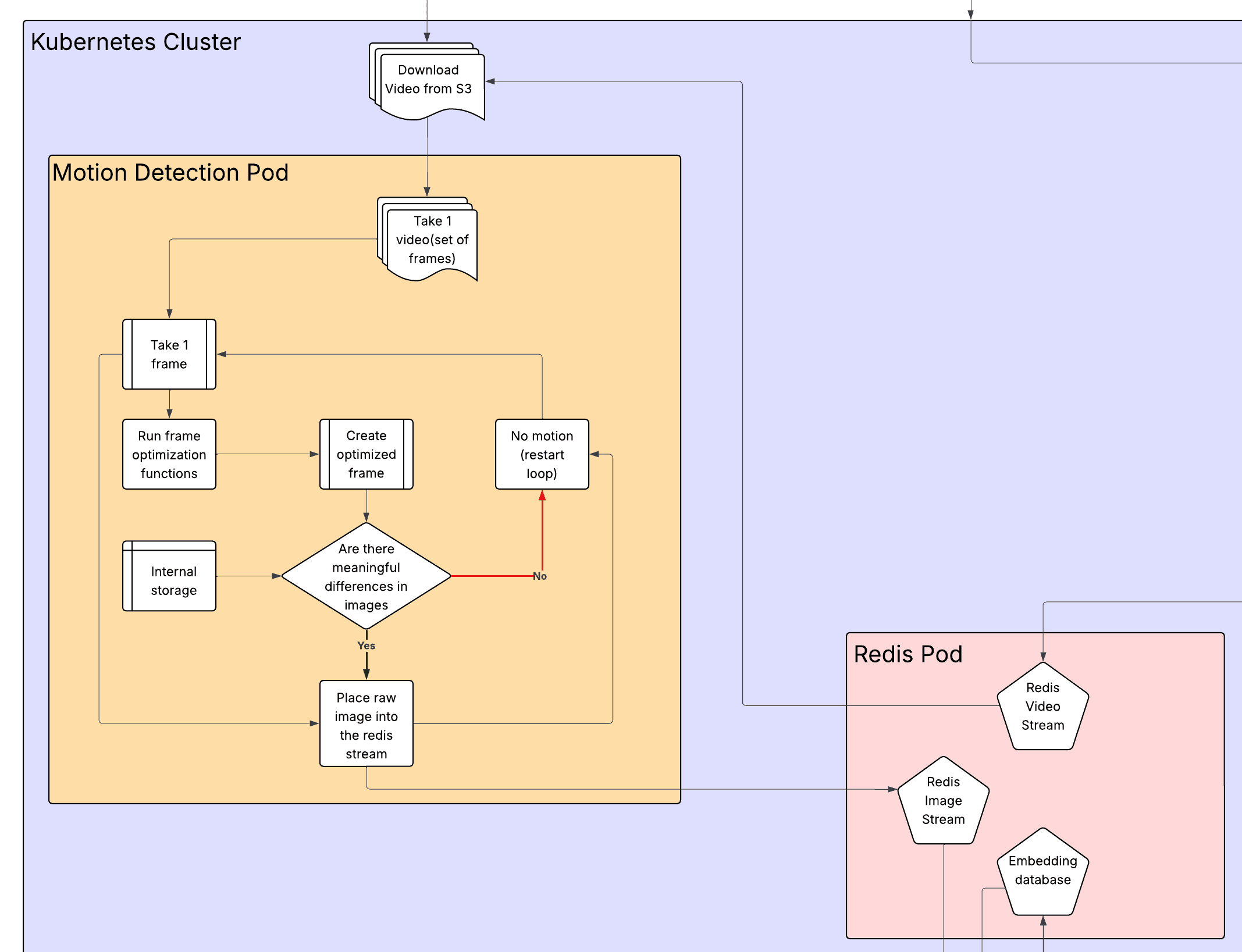
Image Processor
This is where the important part lies; this is the pod that processes images using the models to detect faces and perform the resulting processing.
It begins by removing an image from the image stream and finding all of the faces in the image using an InsightFace model that gets a 512-dimensional embedding vector(which we store as a 256-dimensional embedding) of the face, as well as the gender and age predictions. The system then checks the Redis Embeddings database to see if there is an embedding with a high similarity score, which means that that person has already been spotted before, and they do not need to be reinserted into the database.
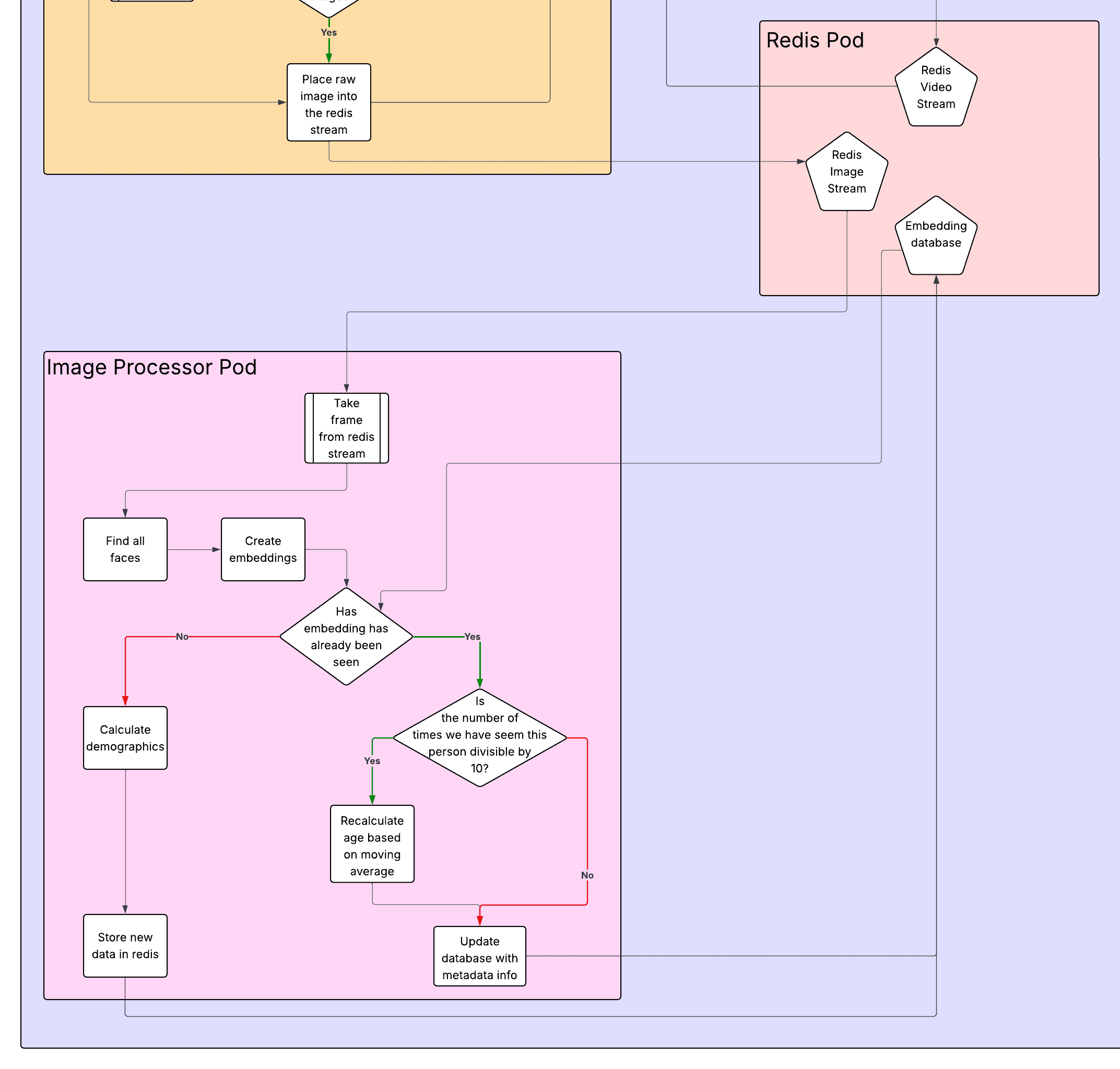
Redis pod
The Redis pod contains many optimizations that I will not discuss, but something that I thought was important to mention is how the Redis pod has a persistent volume, so that if anything goes wrong with it, the data will not be lost, and the pod will restart, allowing for the program to continue during a failure.
Control Plane
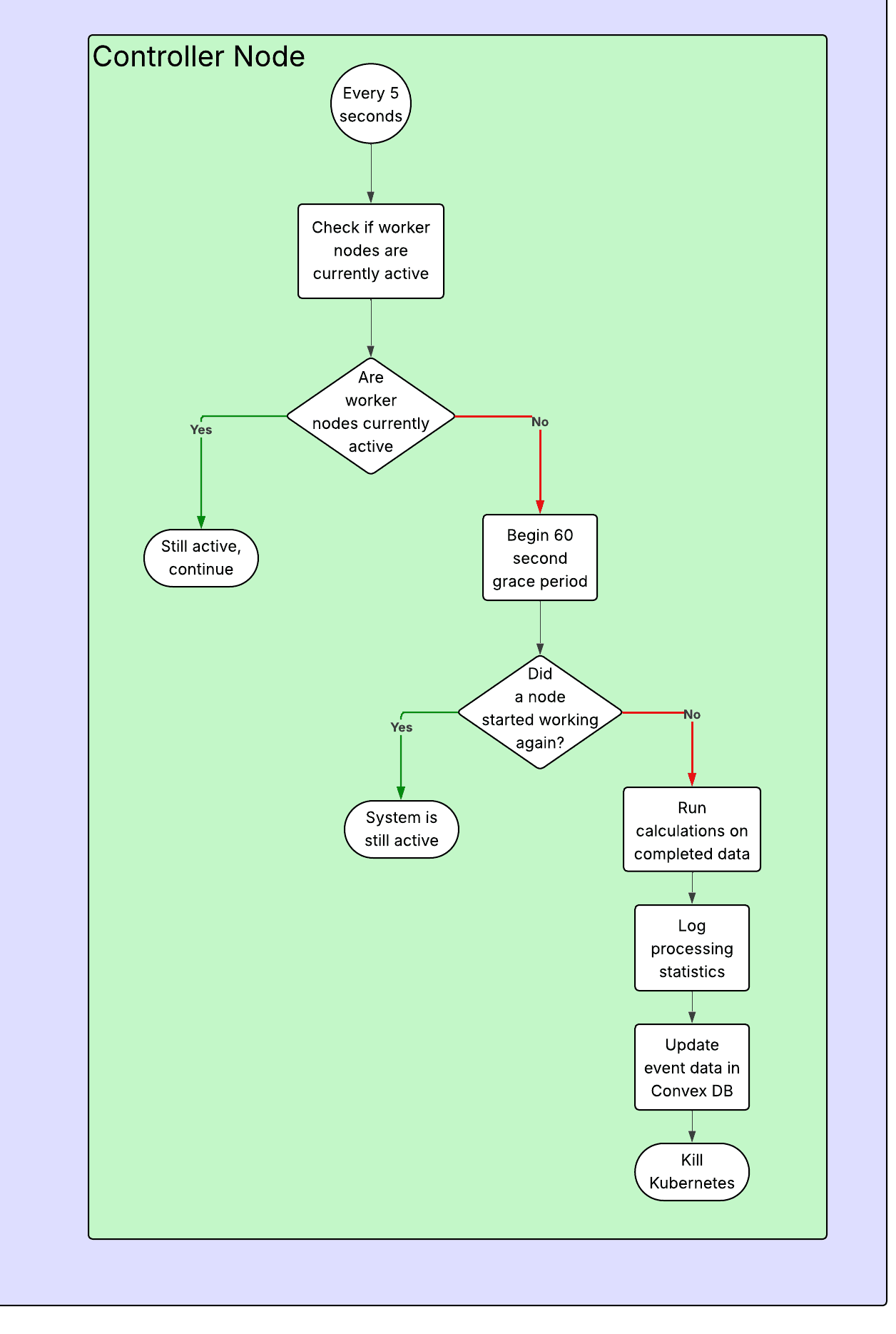
The control plane exists mainly to provide updates in case things go wrong through constant logging with progress updates, as well as sending off the completed data once all of the videos have been processed. It can detect completion based on a grace period, where if it thinks that all pods have stopped working, it will begin a grace period to wait and see if any of them turn back on to do more processing, this avoids ending early during periods where there are only a few videos left and there is a slight pause between when a worker finishes and goes to get new data to process.
When the system has fully completed its processing, the controller node will begin its final analytics, where it calculates all of the data that is going to be displayed to the end user. This includes average age, median age, age range, number of faces with data, etc.
Conclusion
At the end of the day, Crowd Vision was built to answer a simple problem in a way that feels practical: how can someone take raw venue footage and actually get useful demographic insight without needing a massive team or an enterprise budget? The MVP shows that this is possible, but only if the system is designed around the realities of long videos, failures, and cost.
Even though the front-end is what the user interacts with, the important work is done by the pipeline behind it. Splitting videos into smaller sections makes the system recoverable. Motion detection prevents wasting compute on empty frames. Redis streams and locks keep workers coordinated so nothing gets processed twice. Then the image processors do the expensive part: detecting faces, generating embeddings, and aggregating results, while the controller ties everything together and produces the final analytics that get shown in the dashboard.
There is still room for expansion, especially around reducing cluster startup time, improving inference efficiency with motion bounding boxes, and adding richer analytics once the system is used at scale. But this implementation proves the core idea: you can turn raw footage into meaningful demographic data in a way that is scalable, resilient, and affordable enough to be used by everyone from small businesses to full sized stadiums.
Related Content
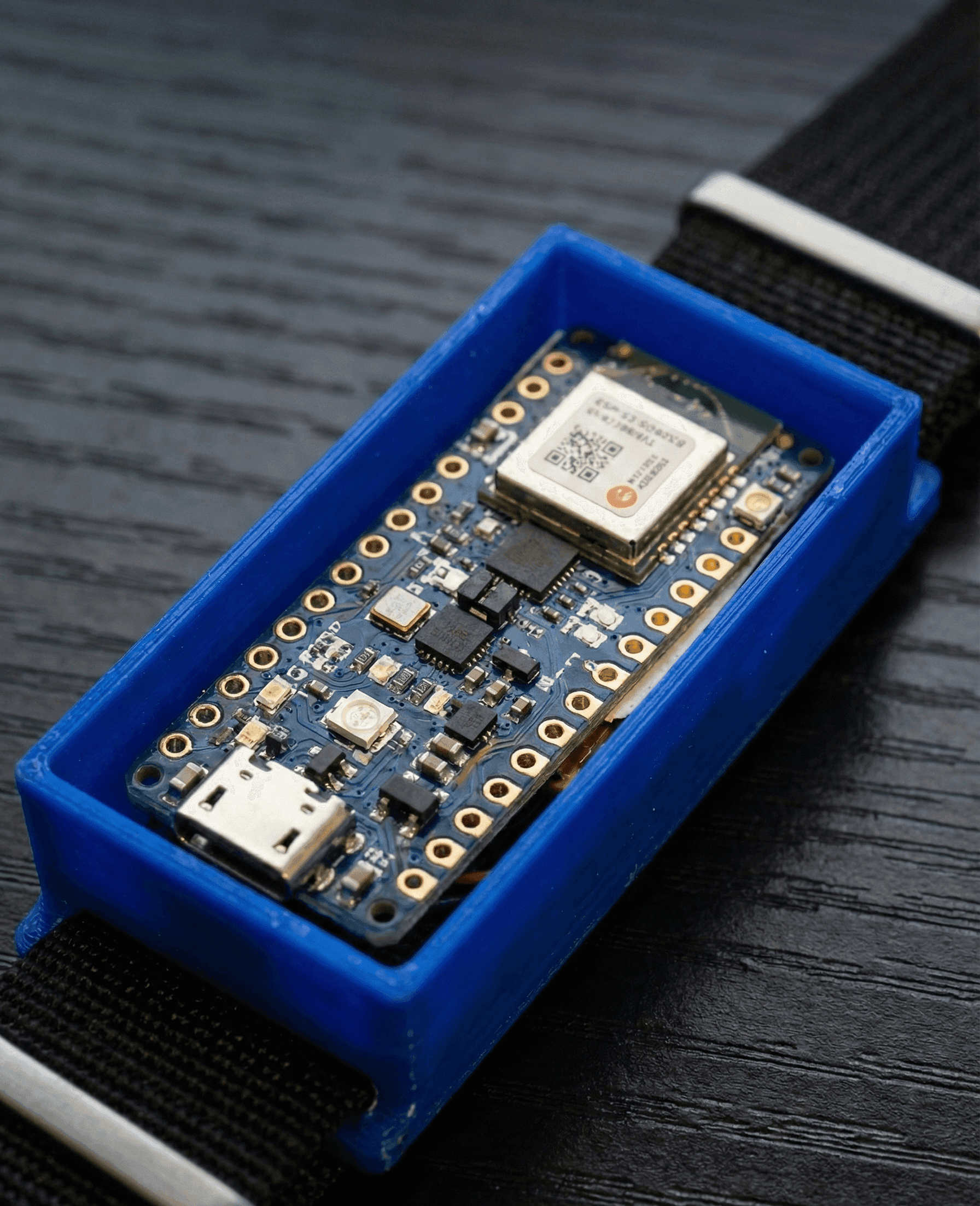
EchoBand
A voice activated, gesture controlled wristband for controlling electronic devices over Bluetooth

EveryDish
This is an app for finding and creating new recipes to cook each week. It acts as a social media app for recipes while also helping with cooking and creating a grocery list.